 Voxyl
Voxyl: an online voxel editor
Build first. Pick materials later.
Voxyl is a voxel design tool for castles, cities, factories and whole worlds. You block out a scene using meanings (a wall, a trim, an accent) instead of materials. Which block each meaning becomes is a separate choice. You can make it whenever you like, change it as often as you like, or skip it.
It's inspired by building in Minecraft, but you can use it for anything made of little cubes.
An AI agent such as Claude Code, Codex or ChatGPT can build in the open editor with you. For a Minecraft build, export a schematic and place it with WorldEdit or Schematica. The game blocks only exist in that file.
What you can do
- Block out a scene with meanings. Choose materials later, or never.
- Swap a palette and the whole build changes look. The voxels stay where they are.
- Millions of cells in the browser, with stairs, slabs, panes and block light.
- A 3D view and a flat grid, and prefabs you can paste into any build.
- Your builds are .voxyl files you own, saved in this browser or on your account.
- Import your own Minecraft jar or modpack if you want its blocks as looks. The files stay on your computer.
Advanced voxel editing tools
- Box, wand and shape selection, with fill, replace, copy, cut, paste, mirror, rotate and flip.
- Symmetry, and prefabs: save part of a build and place it anywhere, in any project.
- Several panes at once: a 3D view, flat layer-by-layer grids, and cutaways and slices of the 3D build.
- Stairs, slabs, panes, microblocks and other shaped parts, with block light that works like the game's.
- Full undo history, and a script engine for repeating work with code.
A built-in MCP server for AI agents
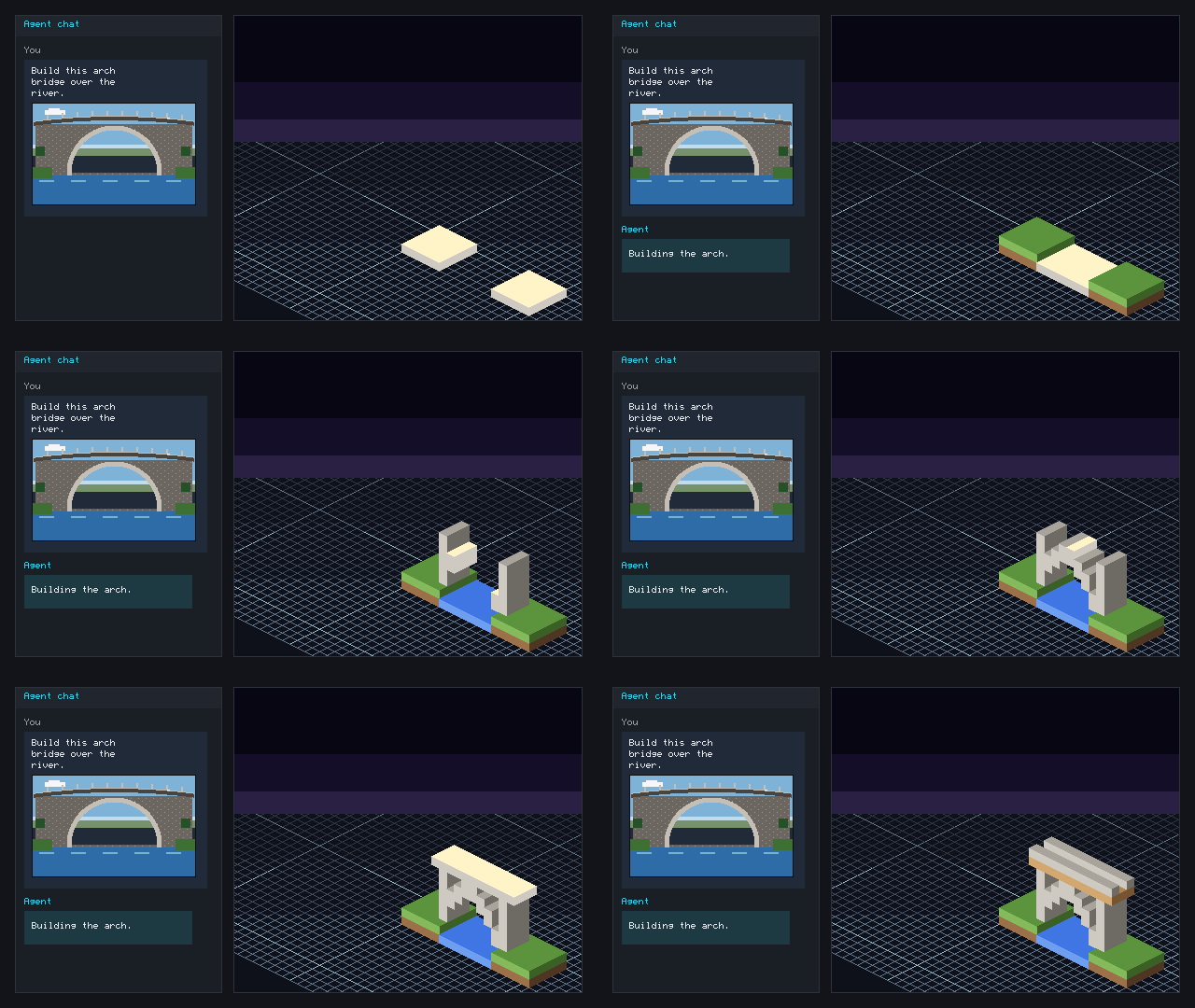
Turn on the agent connection and an assistant such as Claude Code, Codex or ChatGPT can edit the project you have open, through Voxyl's built-in MCP (Model Context Protocol) server. Each change shows up as it happens and is one undo step. The tools run in that browser tab, so keep Voxyl open while the agent works. It builds with the same meanings you do. The agent gets dozens of tools, including:
- Place, fill, replace, copy, paste and transform regions, using meanings instead of coordinates.
- Select, search and inspect a build, and read palettes, prefabs and blocks.
- Take screenshots from any angle, so the agent can check what it built and adjust.
- Run scripts (VoxylScript, a sandboxed JavaScript) to generate structures from a few lines of code.
- Save projects and prefabs, and export a schematic.
Voxyl also publishes design guides for agents, so what they build looks designed.
Share your builds
Sign in, publish a build and send the link. Anyone can open it in their browser and look around, with nothing to install. Your work is a .voxyl file you own, saved in your browser or on your account.
Minecraft export and import, with mods
Voxyl is not a Minecraft mod and doesn't connect to a world. Your build stays a set of meanings. To get it into the game, export a schematic of the whole build, a selection or a prefab. In that file, each meaning becomes the Minecraft block you assigned to it. Your build in Voxyl doesn't change.
- Export a .schem (WorldEdit) or .schematic (Schematica) file of the whole build, a selection or a prefab, with a material list.
- Shaped parts from mods (Forge Multipart microblocks and ArchitectureCraft shapes) are written into the .schematic.
- Import block libraries from your own Minecraft jar, or a modded one such as a GregTech: New Horizons pack. Textures and models become looks for your palette. Nothing is uploaded.
Load the file with Schematica, or paste it with WorldEdit.